
Mobile app for PrestaShop
Admin PrestaShop — A modern tool for managing your online store from your smartphone. Receive new order notifications, reply to customers, and monitor sales and key business metrics anytime and from anywhere.
Your store always at hand
Manage orders, products, chats, and key metrics directly from your smartphone.
Fast response to events
Receive push notifications about new orders, customer messages, and important changes.
Available for free
The app is included with the Ewonta platform and available to users on any plan.
Manage your store without a browser
The app is designed specifically for Ewonta platform users and extends PrestaShop capabilities. It helps store owners and managers stay connected with their business: track orders, monitor sales analytics, reply to customers, and maintain a high level of customer service.
For PrestaShop sellers
All important store information is available on your phone.
Main features
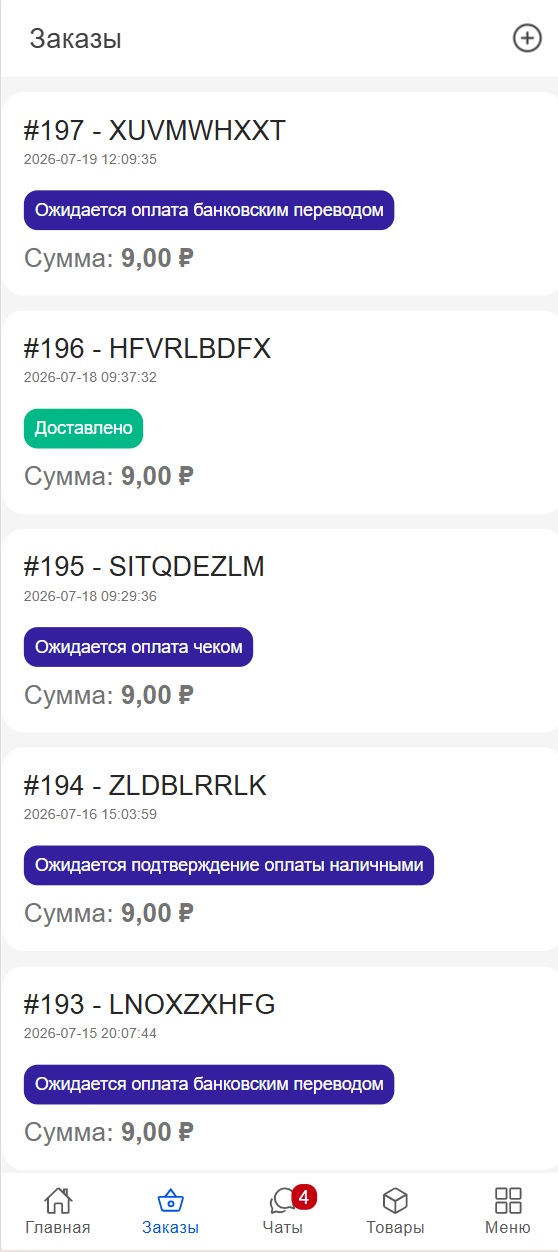
Order management
View new orders, statuses, amounts, and purchase details.
Sales analytics
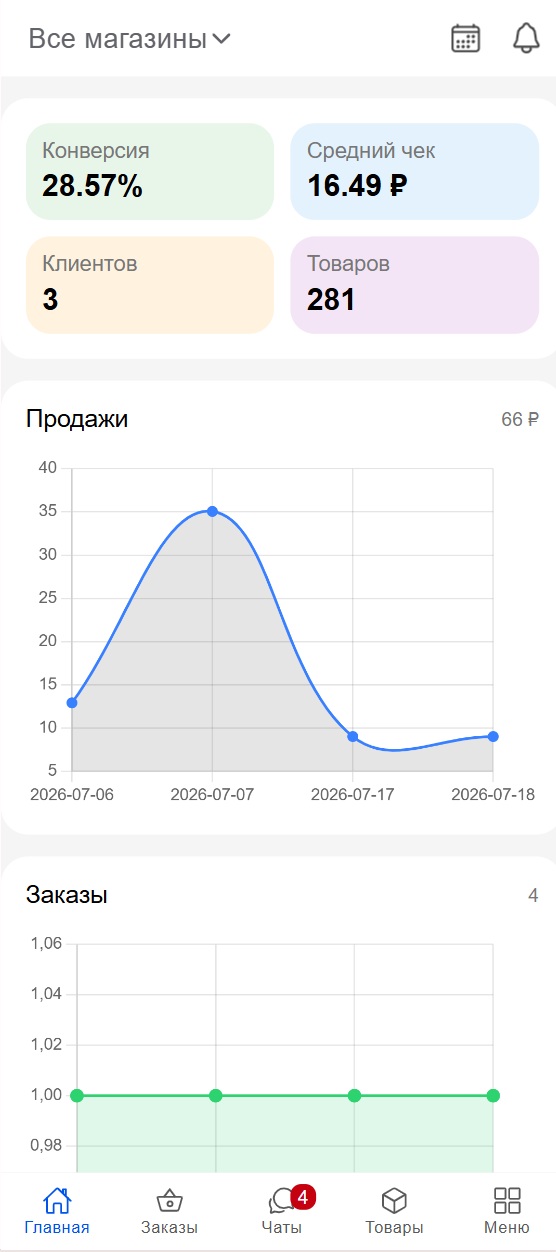
Track sales, conversion rates, average order value, and other key metrics.
Push notifications
Receive notifications about new orders and important store events.
Customer communication
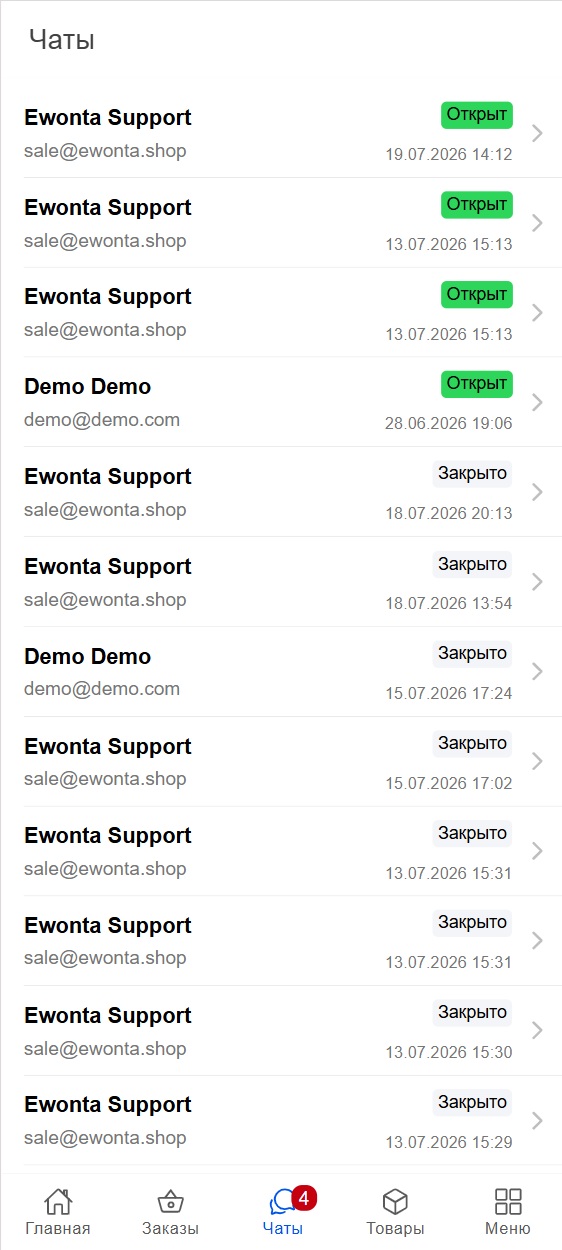
Reply to customers faster and never miss new inquiries.
Performance monitoring
Track key online store metrics in real time.
Access from anywhere
Manage your business wherever it is convenient: at home, on the go, or during a meeting.
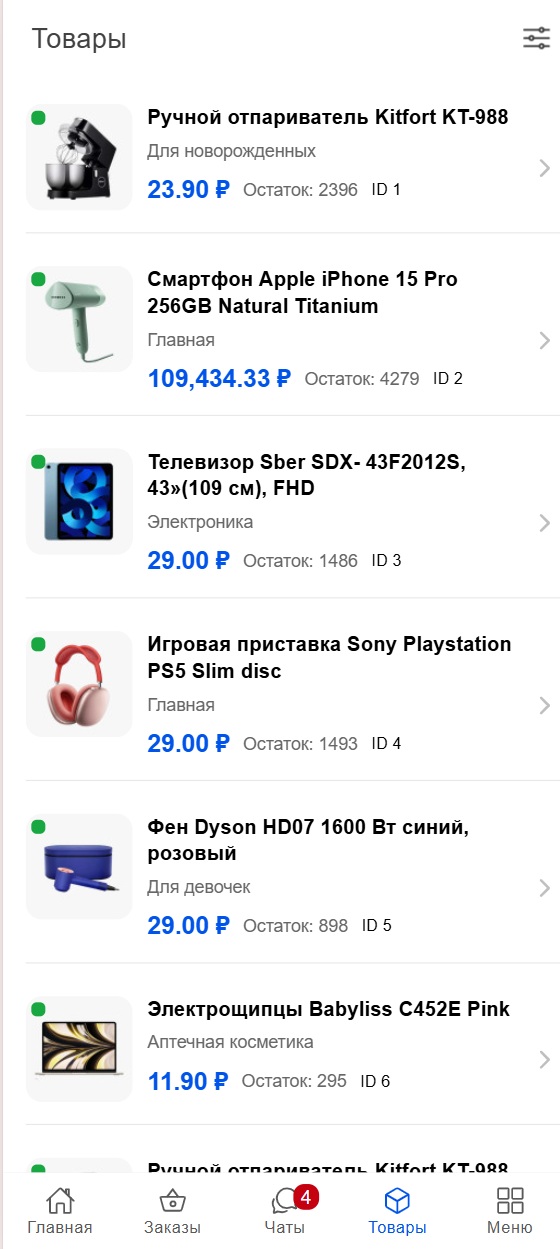
App interface
How to connect the app
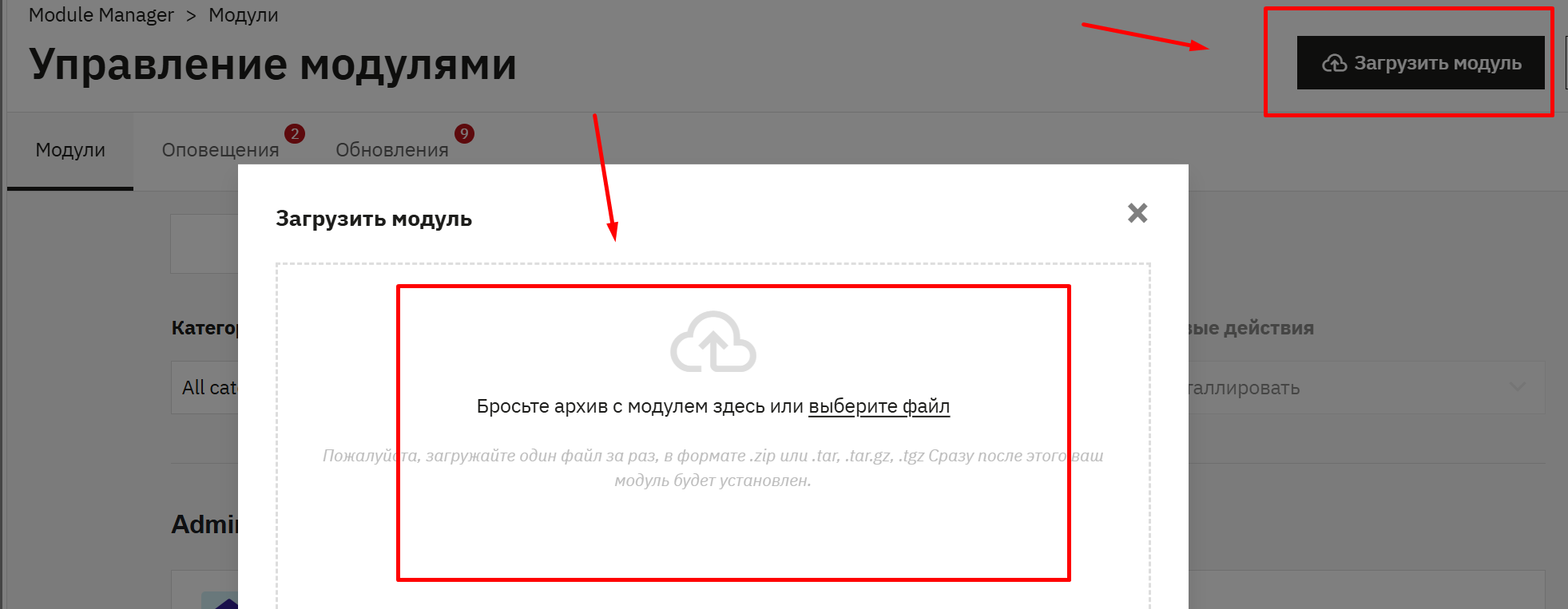
The guide below shows how to connect the app to your store. Follow these steps to easily install the app and connect it with your store.
Secure connection
The store connects through the PrestaShop administration panel. Access is granted only to the store administrator. The platform does not receive any additional permissions, and all data exchange is performed exclusively through the standard Admin API of your store.
Download the app
Google Play
App Store
Go to the section Admin API in your store administration panel.
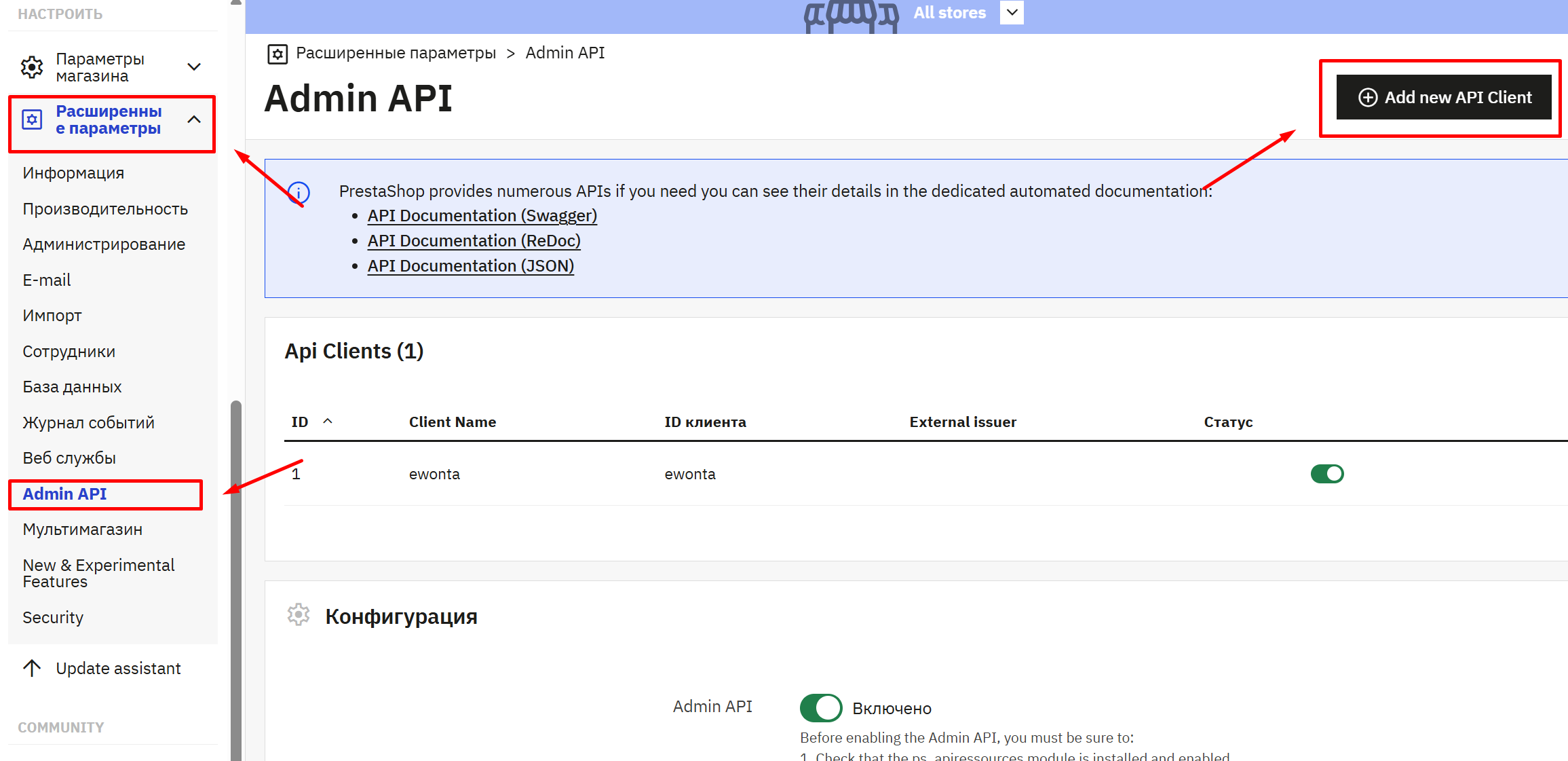
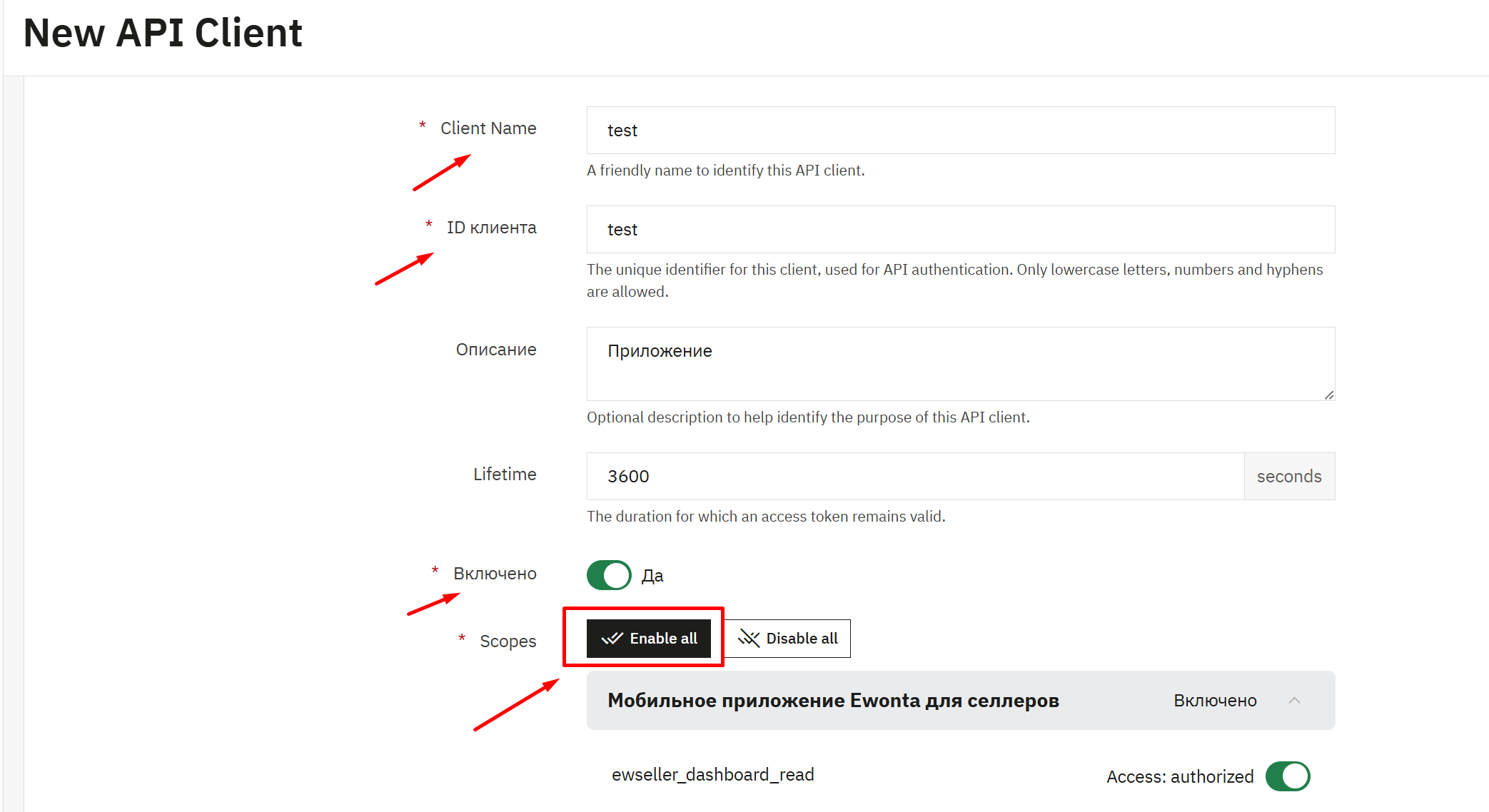
Create an authorization key to connect and allow the app to interact with PrestaShop.
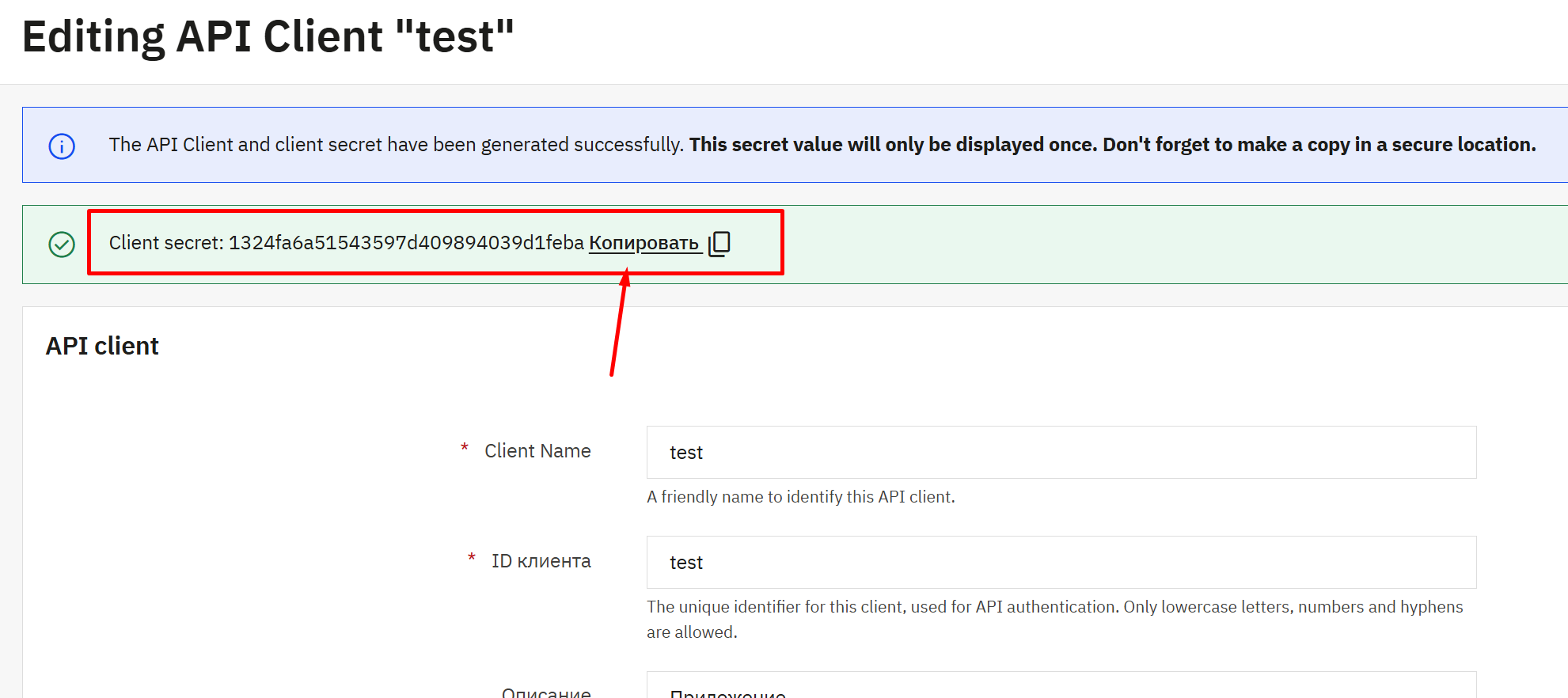
Copy the authorization key for the mobile app.
Sign in to the mobile app
When you open the mobile app, you will see the login form. You only need to enter 3 parameters: your store URL, client ID, and authorization token. All these details were created in the previous steps. Simply enter them and complete the login process.
For owners and managers
The app is convenient for both store owners and employees who work with orders and customers.
Saves time
No need to constantly open the admin panel in a browser — important actions are available directly from your phone.
Improves customer service
Fast responses to customer requests help maintain a high level of customer service.
Follow new updates and releases on our Telegram channel
Only useful news about modules, the platform, and our developments, along with case studies and valuable information to help grow your business.
Grow your
business together
More articles

Marketplace or Your Own Online Store: What Makes More Sense for European Sellers in 2026?

What Is Targeted Advertising and How It Helps Online Stores Find Customers